
Speed‑Compensated Volume (SCV) automatically adjusts your car’s speaker output based on real‑time speed data from the wheel‑speed sensor or GPS, using a predefined gain curve that raises volume as speed increases and lowers it when you slow down. This keeps perceived loudness steady despite wind and road noise, enhancing audio clarity and reducing the need for manual tweaks. You can select Off, Low, Medium, or High sensitivity in the Sound menu, with higher settings reacting more aggressively. The system communicates via the CAN bus, processing speed signals instantly, though a brief lag of a few seconds may occur during rapid acceleration. Understanding how SCV works and its settings will help you optimize your listening experience.
Quick Tips
- Speed‑Compensated Volume (SCV) automatically raises audio level as vehicle speed increases to counteract wind and road noise.
- It uses real‑time speed data from wheel‑speed sensors or GPS, processed by the head‑unit’s DSP, to adjust gain instantly.
- Drivers can select Off, Low, Medium, or High sensitivity; higher settings make volume rise more aggressively.
- SCV operates via the CAN bus, transmitting speed information to the amplifier, but ignores road surface, cabin acoustics, or environment.
- Disabling SCV returns a static volume level, while variations across brands affect implementation and may introduce brief lag or glitches.
How Speed‑Compensated Volume Works in Modern Cars

How does speed‑compensated volume actually work? Your car’s audio DSP receives real‑time speed data from the vehicle speed sensor or GPS, then applies a predefined curve that raises volume proportionally as speed climbs and lowers it when you slow down. The system enhances output without moving the manual dial, keeping perceived loudness steady despite wind or road noise. Settings—Off, Low, Medium, High—let you choose how aggressively the adjustments apply. The system relies on a GPS speed signal to determine the appropriate volume level.
Why Automakers Use Speed‑Compensated Volume to Counter Road and Wind Noise
Why do automakers bother with speed‑compensated volume? As you accelerate, tire‑road contact and aerodynamic drag raise road and wind noise, drowning music and navigation cues. Automatic volume boosts counter these disturbances, keeping audio clear without manual fiddling.
The system gauges speed, applies preset compensation levels, and preserves a consistent listening experience, enhancing safety and perceived audio quality. Using lubricants like WD-40 on braking components, however, can cause dangerous failures and is not a substitute for proper maintenance.
How Your Car’s CAN‑Bus Sends Speed Data to the Audio System
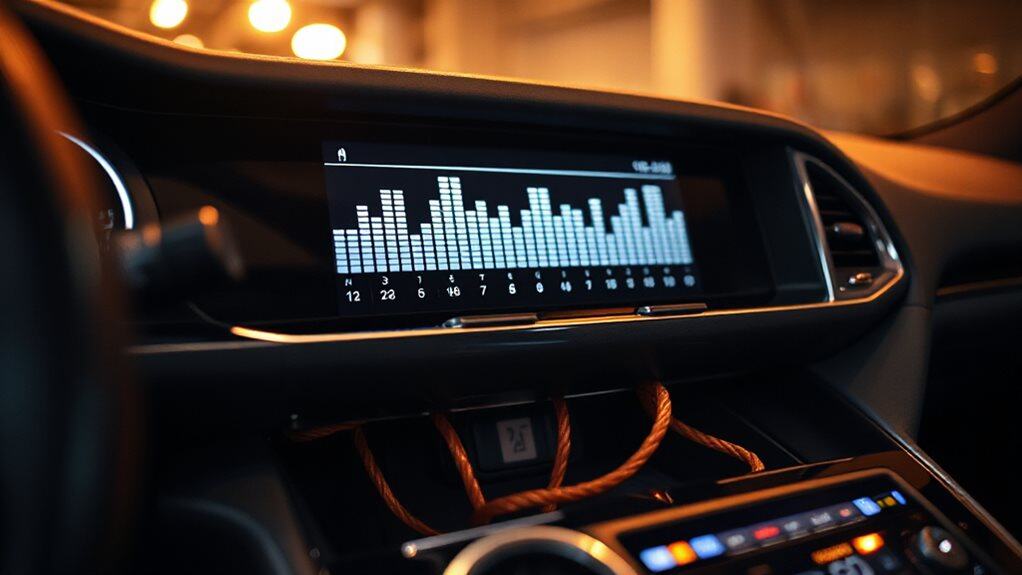
Ever wondered how the speedometer’s reading ends up adjusting your music volume? Your car’s CAN‑bus uses a differential two‑wire link (CANH/CANL) to broadcast wheel‑speed sensor data in real time. The head‑unit receives these frames, decodes the speed value, and sends a command to the amplifier over the same bus. This lets the audio system raise or lower volume instantly as you accelerate. Regular maintenance of HVAC and ventilation components can prevent issues that distract the driver and affect how speed-compensated systems operate, so keep filters and vents clean to maintain proper airflow.
Speed‑Compensated Volume Sensitivity Settings Explained
What exactly does the sensitivity setting control in a speed‑compensated volume system? It determines how aggressively volume rises as your car accelerates. Off freezes volume; Low adds a subtle enhancement; Medium offers a balanced increase; High maximizes the lift at high speeds. You adjust it via the dashboard’s Sound menu, selecting Off, Low, Medium, or High, then confirm to save the preference. Highway vibrations can indicate serious vehicle trouble such as failing components that may need inspection.
GPS‑Enhanced Speed‑Compensated Volume Adjustments

You’ll notice that GPS‑derived speed data lets the system increase volume based on your location’s typical noise level, so a highway stretch triggers a higher increase than a quiet suburb.
The control unit translates the satellite‑measured velocity into a noise‑mapping profile, matching ambient wind and engine sounds with the appropriate audio gain.
As a result, the volume adjusts automatically, keeping speech and music clear without you having to fiddle with the knob.
This feature can work in tandem with vehicle systems that monitor engine and road noise to fine‑tune volume adjustments.
Location‑ Based Volume Boost
How does a car know when to turn up the music as you drive through a noisy tunnel or a quiet suburb? Location‑based volume boost uses GPS data to identify zones where ambient noise spikes, then the infotainment processor—often a MediaTek Dimensity Auto Cockpit chip—signals a DSP like Dirac HiFi 5 to raise gain. The system maps speed and position, calibrates with real‑time analyzers, and applies parametric EQ via Wavtech linkDQ, delivering up to 10 V headroom while preserving dashboard functionality.
GPS‑Driven Noise Mapping
Ever since cars began integrating GPS chips, engineers have been able to correlate a vehicle’s location with ambient noise levels, creating a kinetic map that drives volume adjustments.
You’ll notice the system pulls real‑time decibel data from a geo‑tagged database, matches it to your current coordinates, and predicts road‑specific hiss or wind. Then it modulates speaker output, ensuring consistent loudness regardless of terrain or traffic density.
Speed‑Compensated Volume Across Different Car Brands
You’ll notice that Ford’s implementations let you pick a sensitivity level—None, Low, Medium, or High—so the system can increase volume more aggressively as speed rises.
Lincoln’s version tends to apply a stronger compensation at high speeds, which many users report as a noticeably louder soundtrack compared to Ford’s more modest adjustments.
Aftermarket Android units, like ATOTO’s SCVC, use the same principle but let you fine‑tune the balance between road noise and audio clarity, offering a different user experience across brands.
Many users also pair these systems with cross bars on roof racks to help manage added wind noise and overall vehicle aerodynamics.
Ford Brand Implementations
What makes Ford’s speed‑compensated volume (SCV) stand out among automakers is its integration with the vehicle’s CAN bus, which continuously feeds real‑time speed data to the infotainment system.
You’ll find SCV under Settings → Sound on Sync 3 or Sync Tre, choose Off, Low, Medium, or High.
The system reads the speed sensor, sends signals via the CAN bus, and the DSP adjusts volume proportionally, keeping audio clear on highways and quiet on city streets.
Sensitivity Level Variations
Ford’s integration of speed‑compensated volume (SCV) with the CAN bus shows how a single designer can support multiple sensitivity options, and the same principle applies across other brands.
Chevrolet’s Bose system uses low, medium, high settings to boost volume when the Corvette’s roof drops.
Mitsubishi’s Yamaha adds rain and AC noise compensation, while Harman Kardon’s Logic 7 adjusts dynamically.
Bentley’s Naim emphasizes high‑power sensitivity for luxury cabins.
User Experience Differences
How does speed‑compensated volume (SCV) feel when you drive a Chevrolet versus a Lincoln?
In a Chevrolet, SCV adjusts modestly, using GM’s four‑strength dial and cabin acoustic tweaks, so you notice a gentle rise as wind noise grows.
In a Lincoln, the system reacts more aggressively, providing a clearer boost at highway speeds, yet remaining subtle enough for luxury comfort.
Benefits of Speed‑Compensated Volume for Drivers
Ever notice how the audio in your car seems to drown out when you hit the highway? Speed‑compensated volume keeps sound levels steady, so you don’t constantly turn the knob. It improves safety by reducing distractions and guarantees alerts stay audible. Music retains detail, calls stay clear, and navigation prompts cut through wind noise. Adjustable settings let you fine‑tune the balance for any driving condition. The system can integrate with vehicle electronics like the TIPM to adjust levels based on vehicle speed.
Limitations of Speed‑Compensated Volume

You’ll notice that most cars only give you three preset SCV levels, so you can’t fine‑tune the volume beyond those options, and you often have to turn the feature off entirely for a constant level.
The system also lags behind rapid speed changes, creating jarring transitions that can distract you during sudden acceleration or braking.
Because SCV isn’t standard across all models and requires specific head‑unit support, many drivers struggle to locate and adjust it, leading to inconsistent experiences.
Limited User Control
Why does the speed‑compensated volume (SCV) feel restrictive? You only get three preset levels—Low, Medium, High—so you can’t fine‑tune the sound to match your hearing or the car’s acoustics. The system reacts solely to speed, ignoring road surface noise, cabin differences, or environment. To change anything you must plunge into deep menu layers; there’s no quick‑access knob, and disabling SCV entirely is the only way to regain full control.
Response Delays and Glitches
How do response delays and glitches affect the performance of speed‑compensated volume (SCV) systems? You’ll notice a 2‑5‑second lag when acceleration spikes, because the head unit processes speed data before adjusting gain. Medium or high settings stretch this lag, and sensor glitches during gear shifts can cause abrupt volume spikes or drops. Faulty wheel sensors further delay compensation, especially at low speeds, leading to under‑compensation in stop‑go traffic.
Customizing or Disabling Speed‑Compensated Volume
When you want to fine‑tune or turn off Speed‑Compensated Volume (SCV), start by locating the control in your vehicle’s infotainment menu—usually under Settings → Sound → Speed Compensated Volume.
Choose None, Low, Medium, or High to adjust how much volume rises with speed, or select Off for a static level.
Test at highway speed, then decelerate to confirm the setting works as expected.
Troubleshooting Speed‑Compensated Volume Issues

What you’re experiencing with Speed‑Compensated Volume (SCV) can stem from several distinct issues, so pinpointing the cause requires a systematic approach. First, test in AM/FM mode while varying speed; note if volume stays constant.
Reset Sync Master, then retoggle SCV. If it resets each startup, suspect an APIM firmware glitch. Compare against a reference vehicle to gauge expected compensation.
Verify settings path Settings > Sound > Speed Compensated Volume. Adjust sensitivity, and if the problem persists, consider hardware integration faults.
Wrapping Up
Speed‑compensated volume automatically adjusts audio levels based on vehicle speed, keeping music clear despite road and wind noise. By receiving real‑time speed data from the CAN‑bus or GPS, the system raises gain as speed climbs, then lowers it when you slow down. Understanding its sensitivity settings lets you fine‑tune or disable the feature to match personal preference. While it improves listening comfort, the system may lag in rapid speed changes or with aftermarket audio setups. Proper calibration ensures optimal performance across driving conditions.


